
Platform
Your problem, laid out where everyone can see it.
A board for the whole problem, your team working on it together, and AI that reads what you point it to. Here's what's inside.
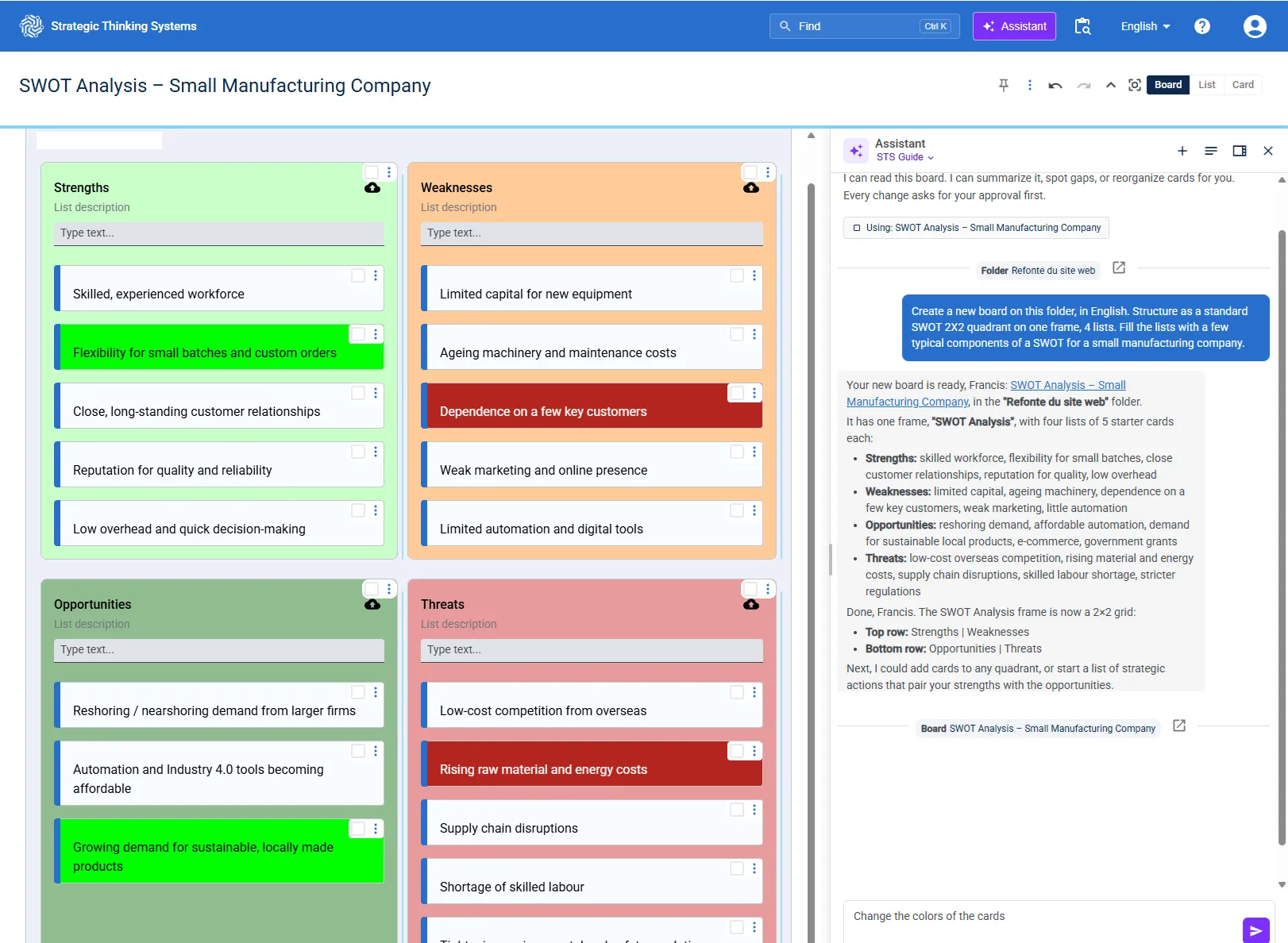
The board
Arrange it the way you think.
Frames, lists and cards
A board is a grid of frames. Each frame holds lists, and each list holds cards, one idea per card. Move, merge or split them as your thinking changes.
Cards that hold the evidence
Notes, tables, images, links and files, including PDF, Word, PowerPoint and CSV. The AI reads them too.
Focus when you need it
Color what matters, vote on options, and zoom from the whole board to a single list or card.
AI
AI on your terms.
AI that works on the board
Make any list AI-driven and choose what it reads, lists on this board or on others. Its answers arrive as cards you can keep, edit or throw away.
AI Associates
Turn a list into an AI helper with the role you write, a finance lead, a skeptic, your customer. Put several side by side and compare their views.
The AI you choose
OpenAI, Claude, Gemini or Perplexity, which searches the web. Pick the right one for each job.
The assistant
Ask in plain words. It reads your board, your folders and the web, then builds or reorganizes the board, and every change waits for your approval.
Together
Everyone on the same page.
Real time
Your team works on the same board at the same time, and everyone sees each change as it happens.
Spaces and folders
Keep each team's boards in its own space, and decide who sees what.
Find anything
Press Ctrl K (⌘K on a Mac) to search all your boards, by words and by meaning, and jump straight to the card.
Results
From thinking to something you can hand over.
Word and PowerPoint
Turn a board into a Word document, or a list into slides, from your own templates.
History
Every board keeps its versions. Restore one, or ask for a summary of what changed.
Share
Send a link to bring someone onto the board, or copy a list as text or as a table for Excel.